




Blog Summary
This guide explains how to choose the right trading platform for traders in Oman and trade across web, desktop, and mobile devices. You'll learn the differences between leading platforms, the advantages of multi-device trading, the essential features beginners should consider, and practical tips for selecting a platform that matches your trading style.
Choosing the right trading platform is one of the most important decisions a beginner trader can make. With so many options available, it’s important to pick a platform that offers ease of use, educational support, and an environment to learn and grow confidently in the financial markets.
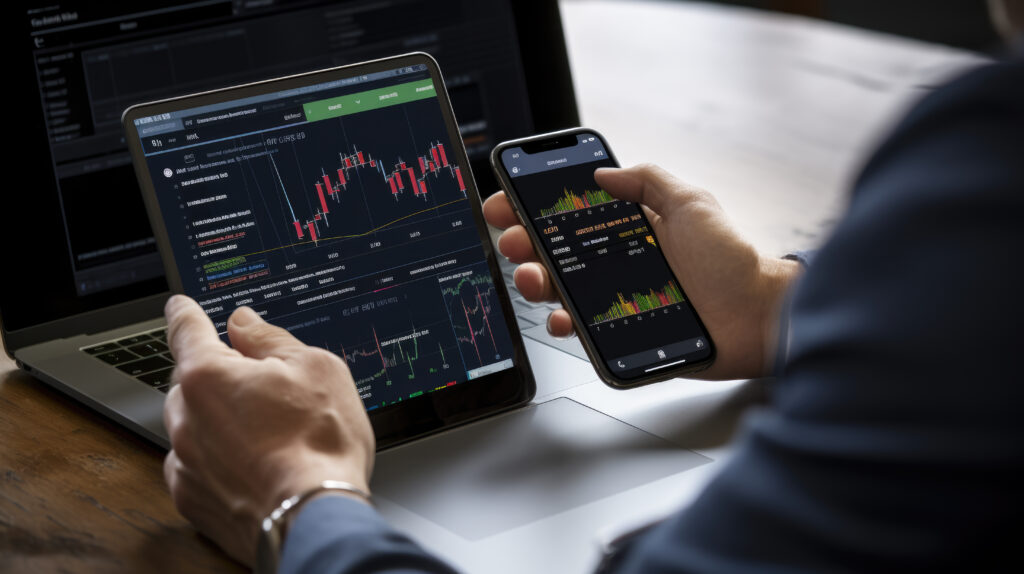
Web, Desktop, and Mobile Trading Platforms
In today’s digital era, traders demand access to markets anytime, anywhere. Most brokers offer platform compatibility across web, desktop, and mobile devices to ensure full flexibility.
Web‑Based Platforms
Pros
- Instant access from any browser without downloads.
- Perfect for quick market checks or trading on shared computers.
- Cloud sync keeps charts and settings uniform across devices.
Cons
- Dependent on internet speed and browser stability.
- May lack advanced charting or custom plugins.
Best for: Traders who value convenience and accessibility over deep customization.
Desktop Applications
Pros
- Highest processing power and execution speed.
- Full support for multi‑screen charting, EAs, and back‑testing.
- Suitable for intensive trading sessions and algorithmic strategies.
Cons
- Requires installation and updates.
- Tied to a single device.
Best for: Active or professional traders who demand robust functionality and lowest latency.
Mobile Trading Apps
Pros
- Trade on the go with real‑time notifications and alerts.
- Simple interfaces optimized for quick order entry.
- Syncs with desktop and web versions to manage positions anywhere.
Cons
- Limited screen space for analysis.
- Fewer advanced tools compared to desktop versions.
Best for: On‑the‑move traders who need immediate market access and position control.
Multi-Device Integration with Trade 24/7
In a digital-first trading environment, flexibility and seamless access are necessities. Trade 24/7 understands this need and has built a strong ecosystem that enables smooth multi-device integration across its supported platforms.
Whether you’re reviewing technical analysis on a widescreen desktop setup at home or executing a last-minute order from your mobile app while traveling, Trade 24/7 ensures that your trading experience remains uninterrupted and synchronized.
What Makes Trade 24/7’s Multi-Device Environment Stand Out?
- Real-Time Synchronization: Positions, watchlists, alerts, and chart setups are instantly synced across all devices—so you never have to redo your work or worry about discrepancies.
- Best Platform Availability: Analyze your trades on MetaTrader 5 (MT5) without missing a beat. Trade 24/7 offers this popular trading platform to everyone who signs up with them.
- Cloud-Backed Security: All data is securely stored and encrypted, ensuring that your trading history, preferences, and strategies are protected and recoverable.
- Instant Notifications: Mobile and desktop alerts ensure you’re always updated about price movements, stop-loss activations, and market news, even when switching devices.
Choosing the Right Platform for Beginners
If you’re just starting your trading journey, choosing the right platform can feel overwhelming. With so many tools, indicators, and execution options, it’s essential to select a system that supports learning without complexity.
Here’s what beginners should prioritize when evaluating trading software:
User-Friendly Interface
A clean, intuitive layout helps reduce decision fatigue and allows you to focus on learning strategies and understanding market movements, rather than navigating clunky menus.
Demo Account Availability
Practicing in a risk-free environment is crucial. Demo accounts simulate live market conditions without using real money, allowing beginners to test their strategies and get comfortable placing trades.
Built-in Tutorials and Guides
Platforms that provide interactive walkthroughs, tooltips, and integrated help centers make it easier to grasp technical concepts like leverage, lot size, pip value, and order types.
Strong Broker Support
Access to a responsive support team (via chat, phone, or email) and educational webinars or onboarding sessions can significantly accelerate your learning curve.
Comparison of Trading Platforms by Trader Type
| Platform | Best For | Key Strengths | Device Availability |
| MetaTrader 4 | Beginners, Forex-only | Simple UI, large community, basic automation | Web, Desktop, Mobile |
| MetaTrader 5 | Intermediate, Multi-asset | Multi-market access, economic calendar, fast testing | Web, Desktop, Mobile |
| cTrader | Advanced, Precision-focused | Depth of Market (DoM), one-click execution, C# bots | Web, Desktop, Mobile |
| TradingView | Visual thinkers, Analysts | Top-tier charting, Pine Script, social trading | Web, Mobile (App & Browser) |
| Proprietary | Brand-loyal, Pro users | Custom tools, broker-specific advantages | Depends on Broker (e.g., Trade 24/7) |
The All-in-One Experience
Modern traders no longer stick to a single market. In fact, many diversify across multiple asset classes to spread risk, hedge against volatility, or take advantage of macroeconomic events. This trend has given rise to multi-asset trading platforms which are software that enables access to various markets through a single interface.
What Assets Can You Trade in One Platform?
- Forex: Major, minor, and exotic currency pairs
- Stocks: Global equities and ETFs
- Commodities: Agricultural goods, oil, natural gas, etc.
- Indices: Market baskets like the S&P 500, NASDAQ, FTSE 100
- Metals: Gold, silver, platinum
- Energy: Crude oil, natural gas, energy ETFs
Why Multi-Asset Access Matters
- Diversification: Spreads exposure across markets, reducing overall risk.
- Opportunity: Lets traders respond to breaking news across sectors.
- Convenience: No need to log in to multiple platforms or brokers.
- Cost-Efficiency: Unified commissions, lower fees, and streamlined reporting.
Which Platforms Support It?
- MetaTrader 5 (MT5): Designed as a true multi-asset platform with equities, futures, and commodities support in addition to Forex.
- cTrader: Expands beyond FX to include indices and commodities with professional-grade features.
- TradingView: Offers integration with brokers for cross-asset analysis and execution in one place.
Conclusion
As a beginner, your trading journey should start on a platform that empowers you. Look for intuitive tools and strong broker support that guides you every step of the way. Platforms like MetaTrader 4, cTrader, and even TradingView offer excellent learning environments tailored to new users. However, there is no better platform for your trades than MT5 that supports all types of traders.
With a regulated and reliable broker like Trade 24/7, you can access beginner-friendly platforms along with educational resources, support, and a secure infrastructure. This ensures that your early trading experiences are not only productive but also safe, building the right habits from day one.