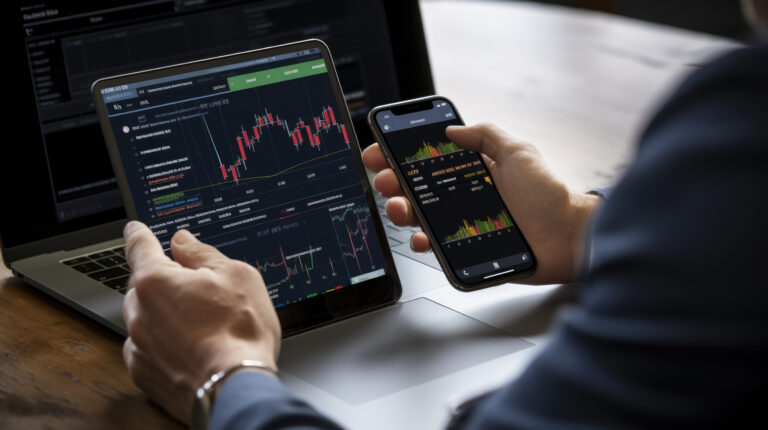





Blog Summary
This guide explains how to use MetaTrader 5 (MT5) step by step for traders in the Philippines. You'll learn how to download and install the platform, open a demo or live account, navigate the MT5 interface, analyze charts, place trades, and use practical risk management tools to trade with greater confidence.
Table of contents
Learning how to use MetaTrader 5 is one of the first steps for individuals beginning their online trading journey in the Philippines. MetaTrader 5, also known as MT5, is a widely used and advanced trading platform that provides access to global financial markets in one place. It offers Filipino traders real-time charts, technical indicators, and a range of trading tools designed to support informed decision-making.
This guide outlines a clear, step-by-step approach to using MetaTrader 5. It covers how to download and install the platform, open a demo or live account, connect your trading account, analyze market charts, and place trades in a structured and easy-to-follow manner.
Whether you are new to online trading or transitioning from another platform, this guide is designed to help you understand the basics of MT5 in a simple and practical way. With the continued growth of interest in online trading among Filipino traders and investors, MT5 provides a reliable set of tools to help users participate in the markets with greater clarity and control.
What Is MetaTrader 5?
MetaTrader 5 is a multi-asset trading platform developed by MetaQuotes. It enables traders to analyze financial markets, place trades, and manage positions within a single platform. MT5 is widely used by traders around the world due to its advanced tools, fast execution, and intuitive, user-friendly interface.
MT5 is popular because it offers:
- Advanced charting
- Fast execution
- Automated trading
- Mobile and desktop access
- Multiple timeframes
- Technical indicators
Many traders choose MT5 because it combines beginner-friendly tools with professional trading features.
Step-by-Step Guide
Step 1: Download MetaTrader 5
The first step in learning how to use MetaTrader 5 is to download the platform.
MT5 is available on:
- Windows
- Mac
- Android
- iPhone/iPad
- Web browser
How to Download MT5
- Visit your broker’s website.
- Find the MT5 download section.
- Choose your device version.
- Click download.
- Wait for the file to finish downloading.
Trade 24/7 provides direct MT5 download access through its secure trading portal, making it easy for Filipino traders to install and start using the platform.
Step 2: Install MetaTrader 5
After downloading the file, the next step is installation.
How to Install MT5 on Desktop
- Open the downloaded setup file.
- Click “Next.”
- Accept the license agreement.
- Choose installation location.
- Click “Install.”
- Wait for installation to complete.
- Open MetaTrader 5.
The process usually takes only a few minutes.
Mobile Installation
For mobile users:
- Open the App Store or Google Play Store.
- Search “MetaTrader 5.”
- Tap Install.
- Open the app after installation finishes.
Step 3: Open a Demo Account
A demo account is the safest way for Filipino traders to learn how to use MT5 before risking real money.
Demo accounts use virtual funds while showing real market prices. This allows beginners to:
- Practice placing trades
- Learn chart analysis
- Test strategies
- Understand risk management
How to Open a Demo Account
- Open MT5.
- Click “File.”
- Select “Open an Account.”
- Search for your broker.
- Choose “Demo Account.”
- Enter your details.
- Select account balance and leverage.
- Finish registration.
Now you can start practicing with virtual money.
Step 4: Open a Live Account
Once you become familiar with the platform, you can move to a live trading account.
A live account allows traders in Philippines to trade with real funds in real-time market conditions.
How to Open a Live Account
- Register with your broker.
- Complete identity verification.
- Deposit funds.
- Receive login credentials.
- Connect the account to MT5.
Trade 24/7 provides secure live accounts with access to MT5 and fast account setup.
Step 5: Connect Your Account to MT5
To start trading, you must connect your demo or live account.
How to Connect
- Open MT5.
- Click “File.”
- Select “Login to Trade Account.”
- Enter:
- Login number
- Password
- Broker server details
- Click “OK.”
If the connection is set up correctly, your account balance and server status will be displayed at the bottom right of the platform.
Understanding the MT5 Interface
When learning how to trade on MetaTrader 5, it’s important to understand the platform layout.
Market Watch
Shows live prices for trading instruments like:
- EUR/USD
- Gold
- Bitcoin
- Indices
Navigator
Displays:
- Accounts
- Indicators
- Expert Advisors (EAs)
Charts
This is where traders analyze price movement.
Toolbox
Shows:
- Open trades
- Trade history
- Alerts
- News
- Journal logs
Learning these sections makes navigation much easier.
Step 6: Customize Charts
Charts are one of the most important parts of MT5.
Chart Types
MT5 supports:
- Candlestick charts
- Line charts
- Bar charts
Candlestick charts are the most popular because they show more price detail.
Timeframes
MT5 includes:
- 1-minute charts
- 5-minute charts
- Hourly charts
- Daily charts
- Weekly charts
Short timeframes are used for day trading. Longer timeframes help identify bigger trends.
Step 7: Add Indicators
Indicators help traders analyze the market.
Popular MT5 Indicators
- Moving Average
- RSI
- MACD
- Bollinger Bands
- Stochastic Oscillator
How to Add Indicators
- Click “Insert.”
- Select “Indicators.”
- Choose the indicator category.
- Select your indicator.
- Customize settings if needed.
- Click “OK.”
Indicators help identify trends, momentum, and possible reversals.
Step 8: Place a Trade
Now let’s go through how to trade on MetaTrader 5 step by step.
How to Place a Trade
- Open the chart of the asset you want to trade.
- Click “New Order.”
- Choose:
- Buy or Sell
- Lot size
- Stop-loss
- Take-profit
- Click “Buy by Market” or “Sell by Market.”
Your trade will now appear in the Toolbox section.
Understanding Buy and Sell Orders
Buy Order
You place a buy order when you expect the market to rise.
Sell Order
You place a sell order when you expect the market to fall.
MT5 allows both long and short trading easily.
Stop-Loss and Take-Profit
Risk management is very important.
Stop-Loss
It automatically closes the trade if the market moves against your position.
Take-Profit
Locks in profit when the market reaches your target.
Using these tools helps control emotions and protect your capital.
Using MT5 on Mobile
MT5 mobile apps are useful for traders who want flexibility.
The app allows you to:
- Monitor trades
- Open positions
- View charts
- Receive alerts
- Manage risk
The mobile app syncs with your desktop account automatically.
Benefits of MT5 for Beginners
MT5 remains one of the best beginner platforms because it offers:
- Easy navigation
- Fast execution
- Built-in indicators
- Demo trading
- Multiple asset classes
- Strong security
It is simple enough for beginners but powerful enough for advanced traders.
Common Beginner Mistakes on MT5
High Reliance on Unregulated Brokers
Some beginners in the Philippines choose brokers without properly checking regulation or credibility. This can expose traders to unnecessary risks, including poor execution, limited transparency, or difficulties in fund withdrawals.
Lack of Proper Education
Many new traders enter the market without fully understanding how MetaTrader 5 works or how financial markets move. This often leads to inconsistent results, as decisions are made without a clear strategy or basic trading knowledge.
Overleveraging Trades
It is common for beginners to use high leverage without fully understanding the risk involved. While leverage can increase potential returns, it can also amplify losses quickly, especially in volatile market conditions.
Emotional Trading Decisions
Some traders make decisions based on fear or excitement rather than logic. This includes overreacting to losses or entering trades impulsively, which often leads to poor risk control and unstable performance.
Tips for Learning MT5 Faster
- Practice daily on a demo account
- Focus on one strategy first
- Learn basic chart patterns
- Watch educational videos
- Keep a trading journal
Learning takes time. Be patient.
Final Thoughts
Learning how to use MetaTrader 5 is an important step for anyone starting their trading journey in the Philippines. MT5 combines advanced trading tools with a simple, user-friendly interface, making it suitable for both beginners and experienced traders.
From downloading and installing the platform to opening a demo account and placing trades, MT5 provides Filipino traders with access to everything they need in one place. Its advanced charting tools, mobile trading access, and built-in risk management features make it one of the most widely used trading platforms globally. Trade 24/7 provides secure MT5 access along with reliable trading conditions for traders starting their journey in Philippines. With consistent practice, patience, and proper risk management, beginners can gradually improve their market understanding and build confidence using MT5.
FAQs
MT5 is widely regarded as one of the most popular platforms for all types of traders due to its clean interface, straightforward functionality, and vast educational resources.
Yes. A demo account allows you to practice trading with virtual funds, helping you learn platform tools and trading strategies without risking real money.
Absolutely. Many traders start with MT4 or cTrader, then upgrade to more advanced tools like MT5 or TradingView as they gain confidence and diversify their trading style.
Key features include a user-friendly dashboard, charting tools, risk management settings, educational guides, and broker support for account setup and troubleshooting.
Yes. Trade 24/7 offers access to MT5 with all with demo modes, multilingual support, and a secure environment to help new traders succeed.
Ready to Trade Like a Pro?
Open Your Account